
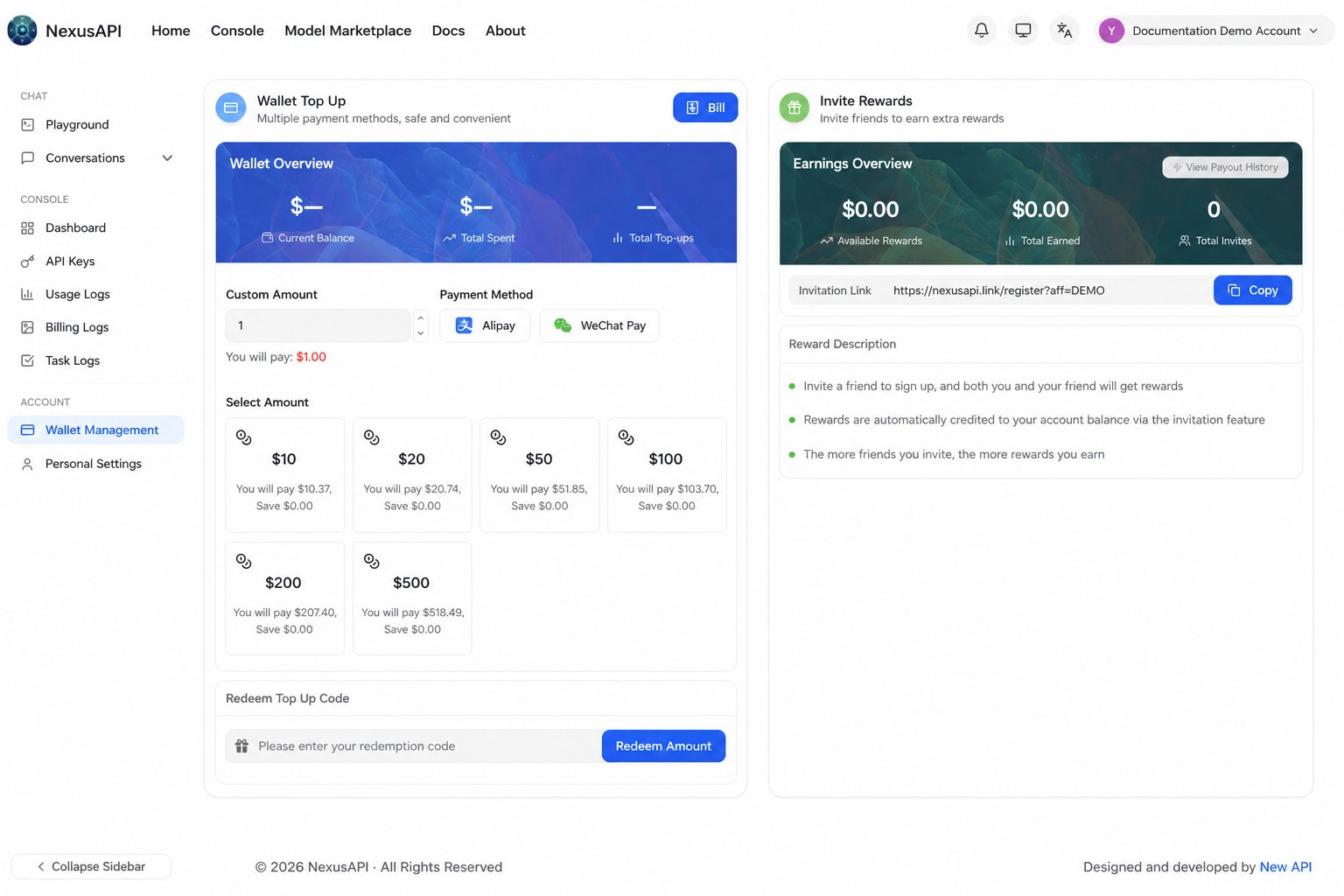
Purchase flow
- Sign in to the console.
- Open Wallet Management or the online top-up page.
- Select the amount.
- Complete the payment.
- Return to the console and confirm that the credit has arrived.
Verify credit and payment details
After payment, return to the console, refresh the balance, and confirm the credit change. Payment processing can take a short time. If credit has still not arrived, contact the NexusAPI support team and provide all of the following in one message:- NexusAPI account identifier or user ID (never your password)
- Payment time and time zone
- Payment channel and amount
- Order number or payment reference
- Payment receipt or screenshot, with sensitive information masked